Published
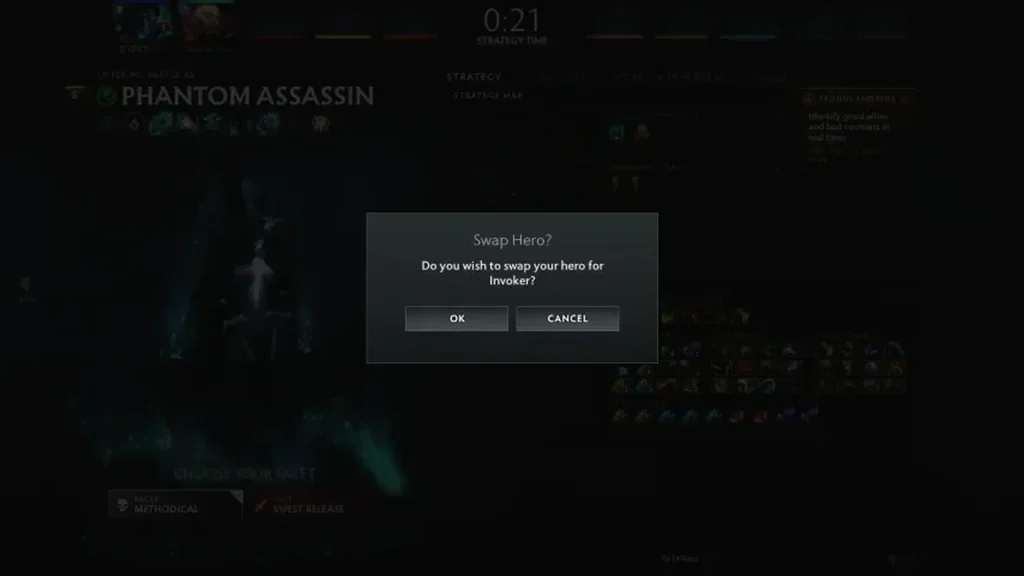
A hero swap is something a team agrees on while the pre-match window is still open. Accounts, roles and cosmetic items stay where they are; only the hero changes hands. Both players must approve the exchange before the game locks the lineups.
Once both sides confirm, each player takes control of their new hero. Before stepping off the fountain, look over the portrait, the ability set and the loadout you picked.
Doing the swap today
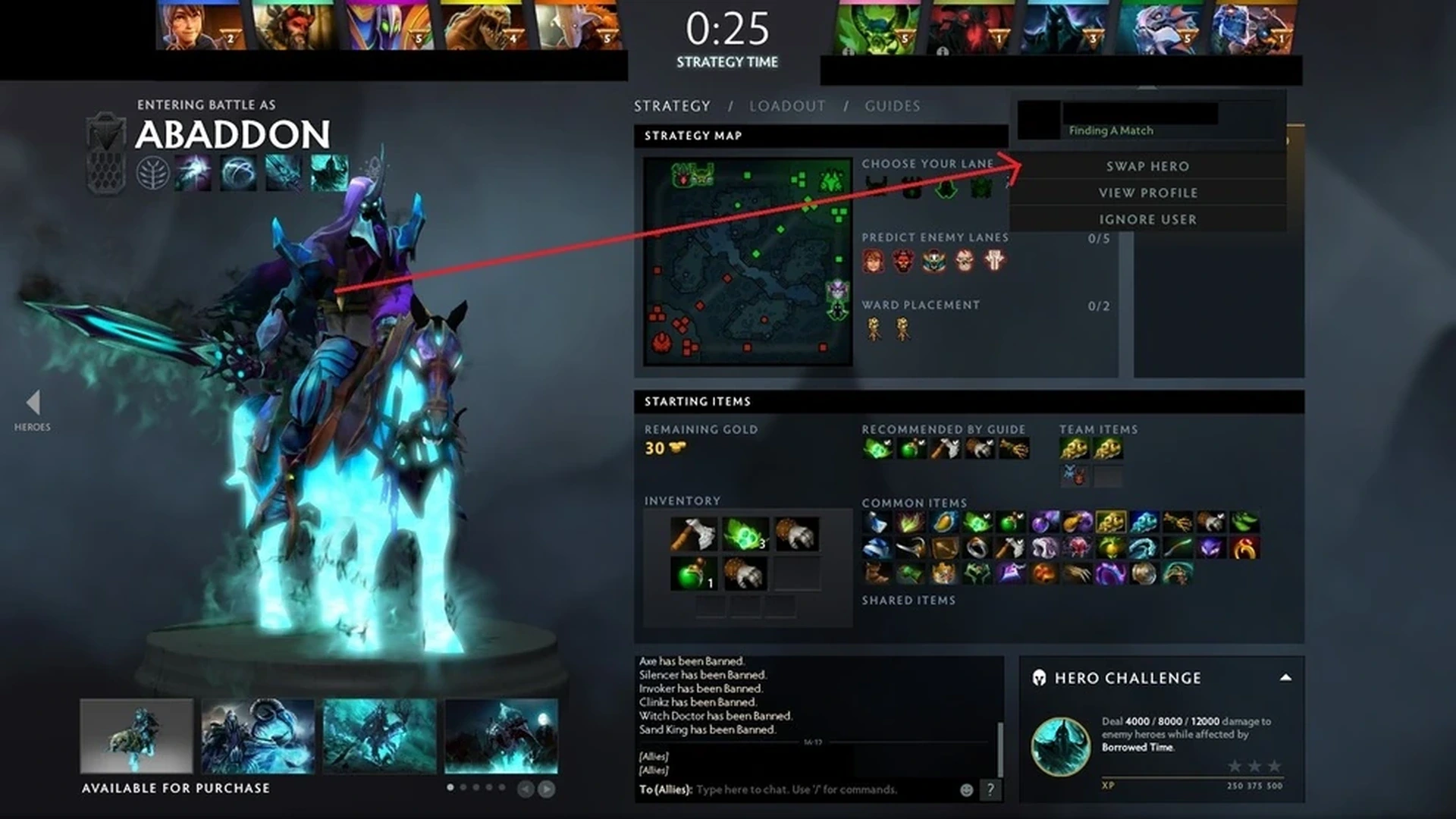
Complete the draft and move into strategy time. Pick the teammate holding the hero you’re after, then click the swap option that appears.
That teammate has to approve the request. Double-check the hero, lane and opening items before preparation time runs out.
Send a short note in team chat explaining why you’re swapping. One clearly explained role fix goes over far better than a pile of requests nobody answers.
Confirm the swap went through
Look at lane assignments again, since the starting positions may not suit the heroes now in play.
If the request vanishes, the game mode or current phase probably doesn’t permit the swap anymore. Stick with the lineup you have instead of restarting the client.
Pitfalls to watch for
A number of modes restrict swapping, and once the match moves past the early phases it’s no longer allowed. Whether the button shows up is up to the client.
Swapping heroes doesn’t give anyone cover for abusing roles. Everyone still needs to play the role their team assigned and follow matchmaking rules.
Hero swapping and unit sharing are different things. Shared unit control is its own feature with separate permissions.
Last look before queuing for a standard game
Run through the swap once more in a new private lobby and check what actually changed on screen. Then set every temporary option back to its usual state. That brief step keeps a practice command or test setting from carrying over into your next regular match.
Menus and internal commands tend to shift after patches. If your client doesn’t offer an option described here, use whatever control it does show rather than forcing an older file or command. This article stays in draft so an editor can verify the current interface before it goes live.
Comments (0)